 Important:
Only those features that you have been granted access to will display.
For access to additional features contact your system administrator. Parents
and student users who require assistance should contact their school or
district.
Important:
Only those features that you have been granted access to will display.
For access to additional features contact your system administrator. Parents
and student users who require assistance should contact their school or
district.
Important:
Only those features that you have been granted access to will display.
For access to additional features contact your system administrator. Parents
and student users who require assistance should contact their school or
district.
With a quick and easy account sign-up, parents/guardians with students enrolled in schools using SafeArrival can use the SchoolMessenger app to report and explain absences.
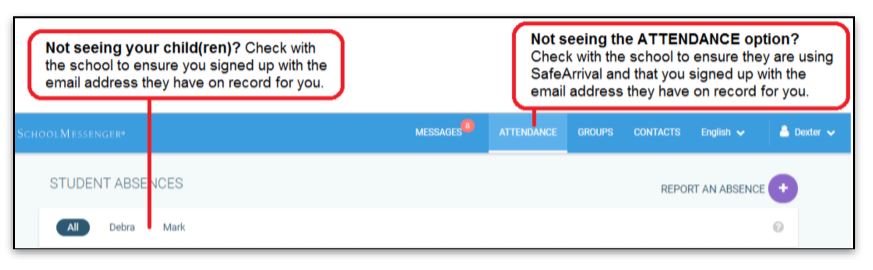
If your email address is associated with at least one child in a school that is actively using SafeArrival, you will see the ATTENDANCE option on the menu. This is shown at the top of the screen on the website or in the menu that is displayed when you tap the menu icon in the top left corner of the mobile apps.
Note: If you do not see the ATTENDANCE menu or
your student(s), please check with the school to make sure you are using
the email address that they have on record for you.
To go to the previous or next month, click the < or > at the top of the calendar.
To scroll through the list of absences, use the scroll bar on the right-hand side of the screen to move the list.
Jump to the next topic: Reporting an Absence