 Important:
Only those features that you have been granted access to will display.
For access to additional features contact your system administrator.
Important:
Only those features that you have been granted access to will display.
For access to additional features contact your system administrator.
The Settings sub-tab contains options for the system, Broadcast, and destination settings.
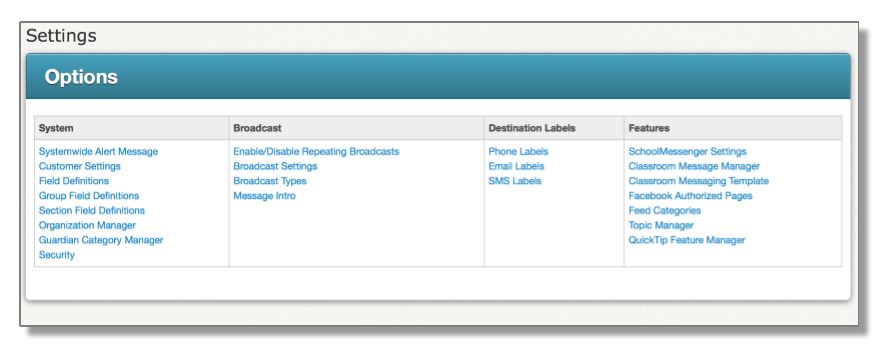
The links in the Destination Labels section allow you to name the different destination types in the system, for example, Phone 1 could be set to "Home Phone".
 Note:
The information entered in these pages will be displayed throughout the
system.
Note:
The information entered in these pages will be displayed throughout the
system.
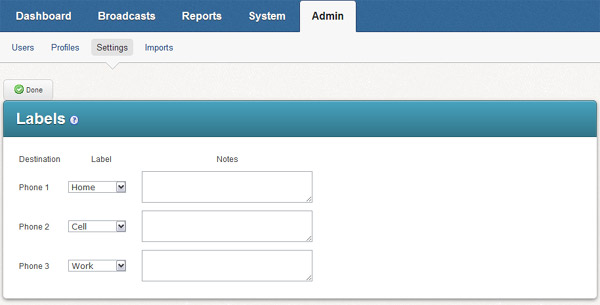
Clicking this link will take you to the page for editing Phone labels, shown below. Choose one of the system default labels from the drop down menu, or select Other and enter a custom label. Click the Done button when you have finished creating labels.
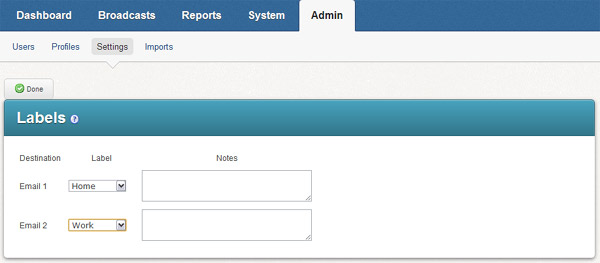
Clicking this link will take you to the page for editing Email labels, shown below. Choose one of the system default labels from the drop down menu, or select Other and enter a custom label. Click the Done button when you have finished creating labels.
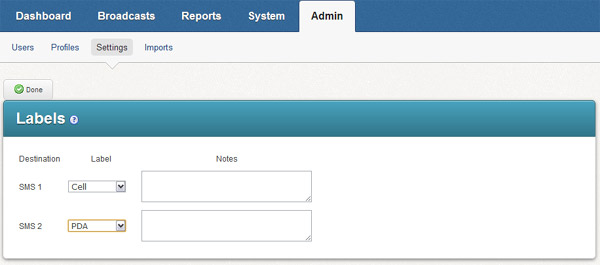
Clicking this link will take you to the page for editing SMS labels, shown below. Choose one of the system default labels from the drop down menu, or select Other and enter a custom label. Click the Done button when you have finished creating labels.
©2022 Intrado. Contents may not be reproduced without express written permission.
