 Important: Only those features that you have been granted
access to will display. For access to additional features contact your
system administrator.
Important: Only those features that you have been granted
access to will display. For access to additional features contact your
system administrator.
This report shows you changes users have made to their contact and preference information in the SchoolMessenger App Changes Report.
1. Log in as an Admin user.
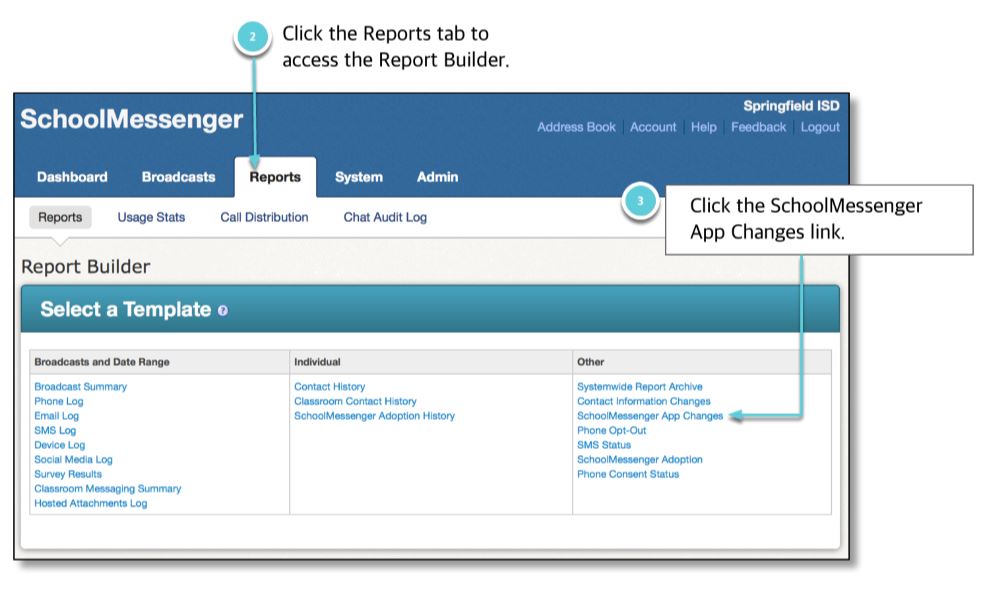
2. Click the Reports tab. The Reports Builder will appear.
3. In the Select a Template table, click the SchoolMessenger App Changes link. You’ll be taken to the SchoolMessenger Adoption Status page.
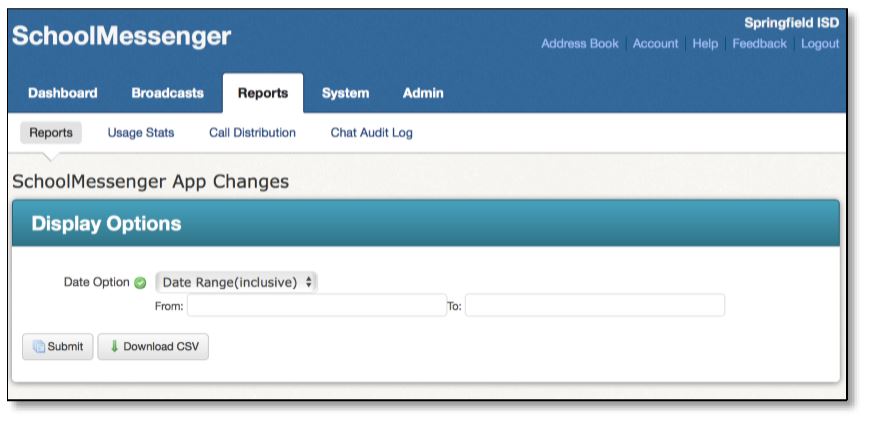
4. Select a date range.
5. Click Submit to view the results or the Download CSV button to view the data in a spreadsheet.
Jump to the Reports Overview Page.
Related Pages:
SchoolMessenger Adoption Report
©2018 West. Contents may not be reproduced without express written permission.
